- Yesterday
Knowing When a Filter Has Been Applied in Excel
- Neale Blackwood
- Data, Tips & Shortcuts
- 0 comments
Excel sheets can be large, and you may have multiple tables on a sheet. When a filter is applied it can affect copying and pasting in the rest of the sheet. To know if a filter is in place check the Data tab.
Sign up to hear about free Excel training.
I won't share your email with anyone.
1 min read
In the Data tab the Clear icon will be visible when a filter has been applied somewhere in a sheet – see below.

When no filter is in place the Clear icon is greyed out.

When a filter is in place it may impact the range selected then you copy a range.
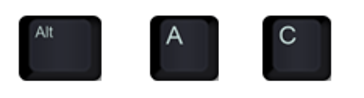
Pressing in sequence Alt A C will clear the filter.